Sequential impulse restoration
NG2 runs distinct DeClick and DeCrackle stages. Set either stage to 0 for an exact bypass, or let its own Auto controller follow the groove.
Reduce clicks, crackle and surface noise while your vinyl records play. Three independent Auto controls follow the groove, with aligned Original, Repaired and Removed monitoring. Fine-tune the result with Warmth and Air, or add room correction using compatible Roon-format convolution filters.
Free Beta · Universal 2 Mac application · macOS 15.4 or later · Stereo up to 192 kHz / 24-bit
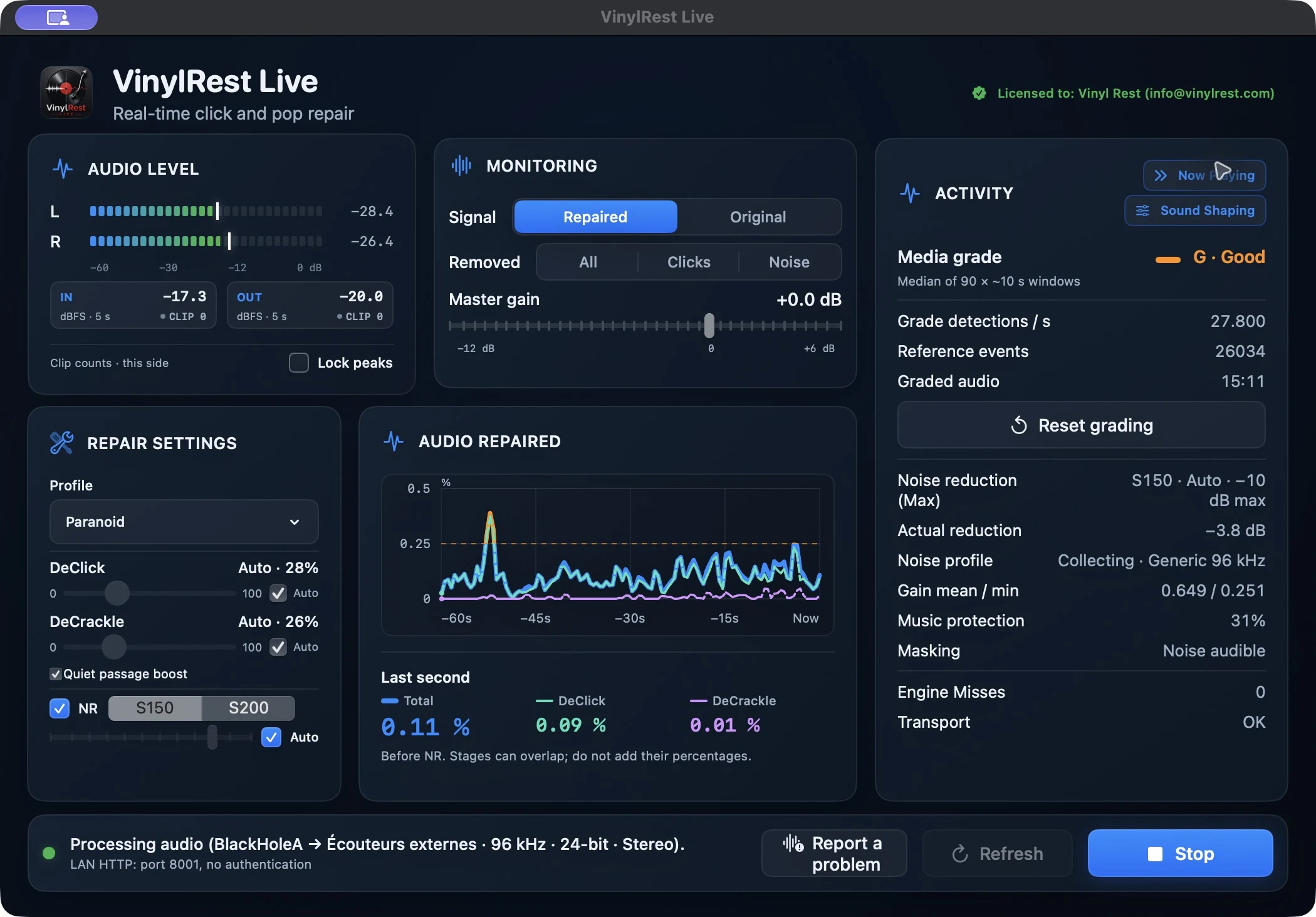
Start with conservative defaults, watch what is happening when you want to, and leave the controls alone when the music deserves your attention.
NG2 runs distinct DeClick and DeCrackle stages. Set either stage to 0 for an exact bypass, or let its own Auto controller follow the groove.
Choose the conservative S150 profile or the stronger S200 profile. NRNG learns one second of surface noise and stays time-aligned when bypassed.
DeClick Auto, DeCrackle Auto and NR Auto make separate decisions within the selected correction profile. Relearn starts a fresh noise-profile acquisition.
A reference analyzer estimates M through P independently of audible repair settings. This is an experimental audio-condition estimate, not an official physical-record grade.
Compare Repaired and aligned Original, or isolate everything removed, only the repaired clicks, or only the reduced noise.
If an NG2 window misses its bounded deadline, VinylRest emits the aligned Original instead of silence and reports the event in diagnostics.
Balance bass and treble around 800 Hz, or adjust upper treble above 8 kHz. A shared bypass remembers your settings. Tone shaping affects Repaired only, not Original or recordings.
Import supported Roon-format ZIP filters, including Home Audio Fidelity profiles, into your Mac library. Apply the same room correction to Repaired and Original for fair comparisons.
IN and OUT show the highest stereo sample peak over five seconds. CLIP counts full-scale episodes for the current record side. Watch OUT when adding gain or sound shaping.
Check raw input balance and level, measure system silence and record surface noise, then explicitly apply suggested silence and noise-capture settings when appropriate.
Request a Beta license inside the native Mac application, receive the key by email and activate up to three installations.
The Release application checks a signed update feed and installs only when audio processing is strictly idle. The latest DMG remains available as a manual fallback.
The Audio Repaired graph shows the last 60 audio seconds with separate Total, DeClick and DeCrackle traces and last-second readouts. It measures changed audio before noise reduction and output processing. Stages can overlap: their percentages are not additive and are not a sound-quality score.
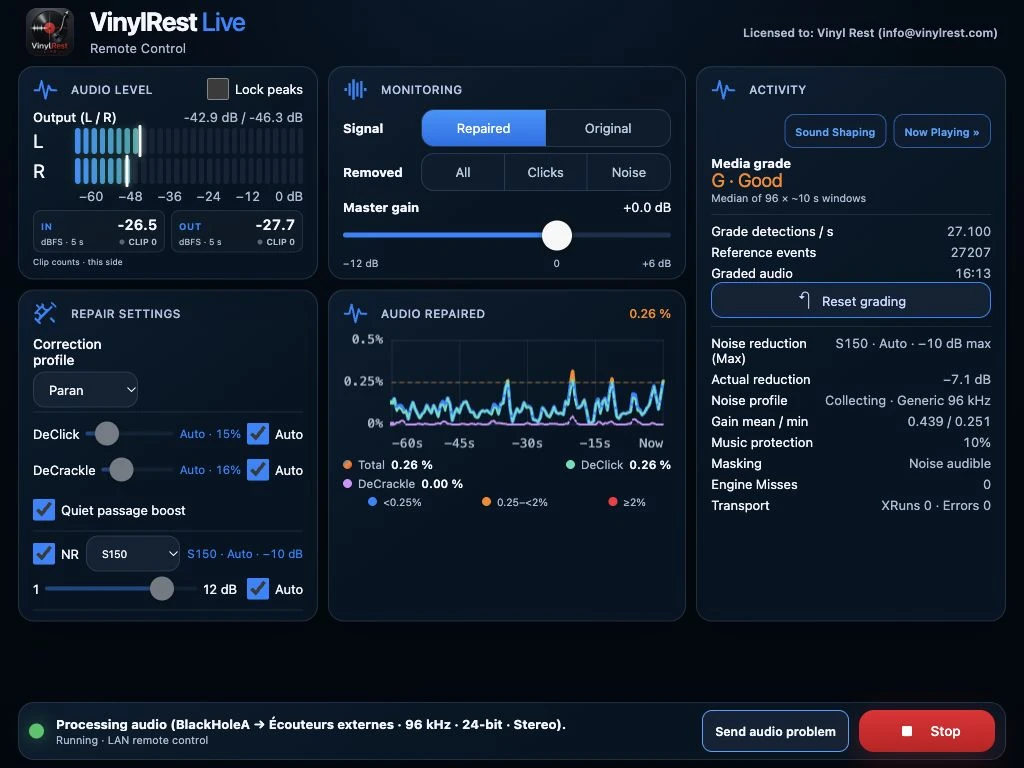
Activity keeps the independent media-grade estimate, effective NR ceiling, learned profile, music protection, engine misses and transport health in view. The IN and OUT peak indicators help you preserve headroom.
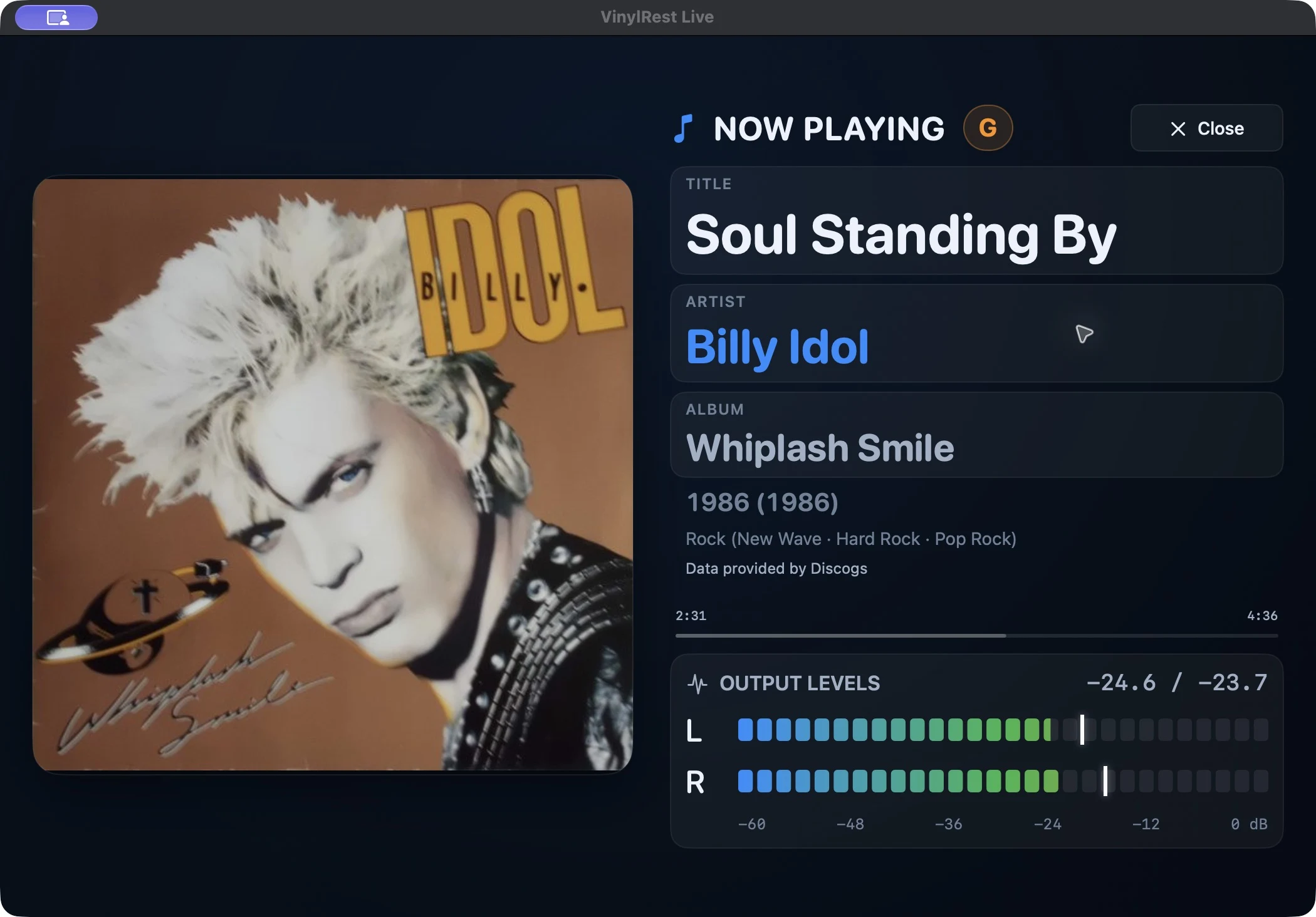
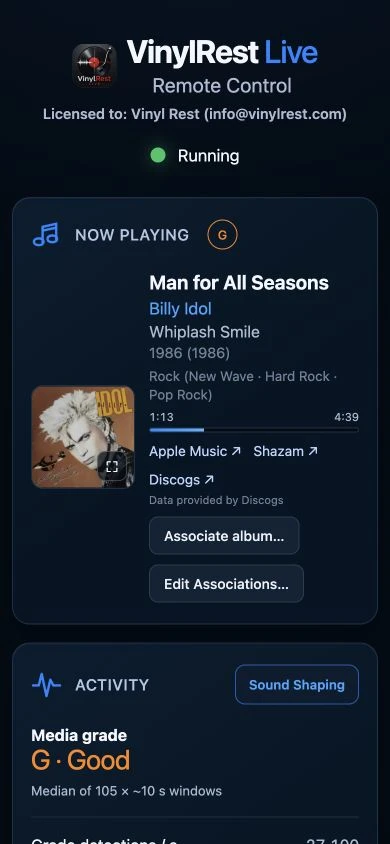
Optional Shazam-powered recognition adds artwork, title, artist and album information. Discogs integration can enrich the display with release details, original album artwork and track durations. Select the artwork to open a large immersive view with live stereo meters—designed to remain readable from across the room.
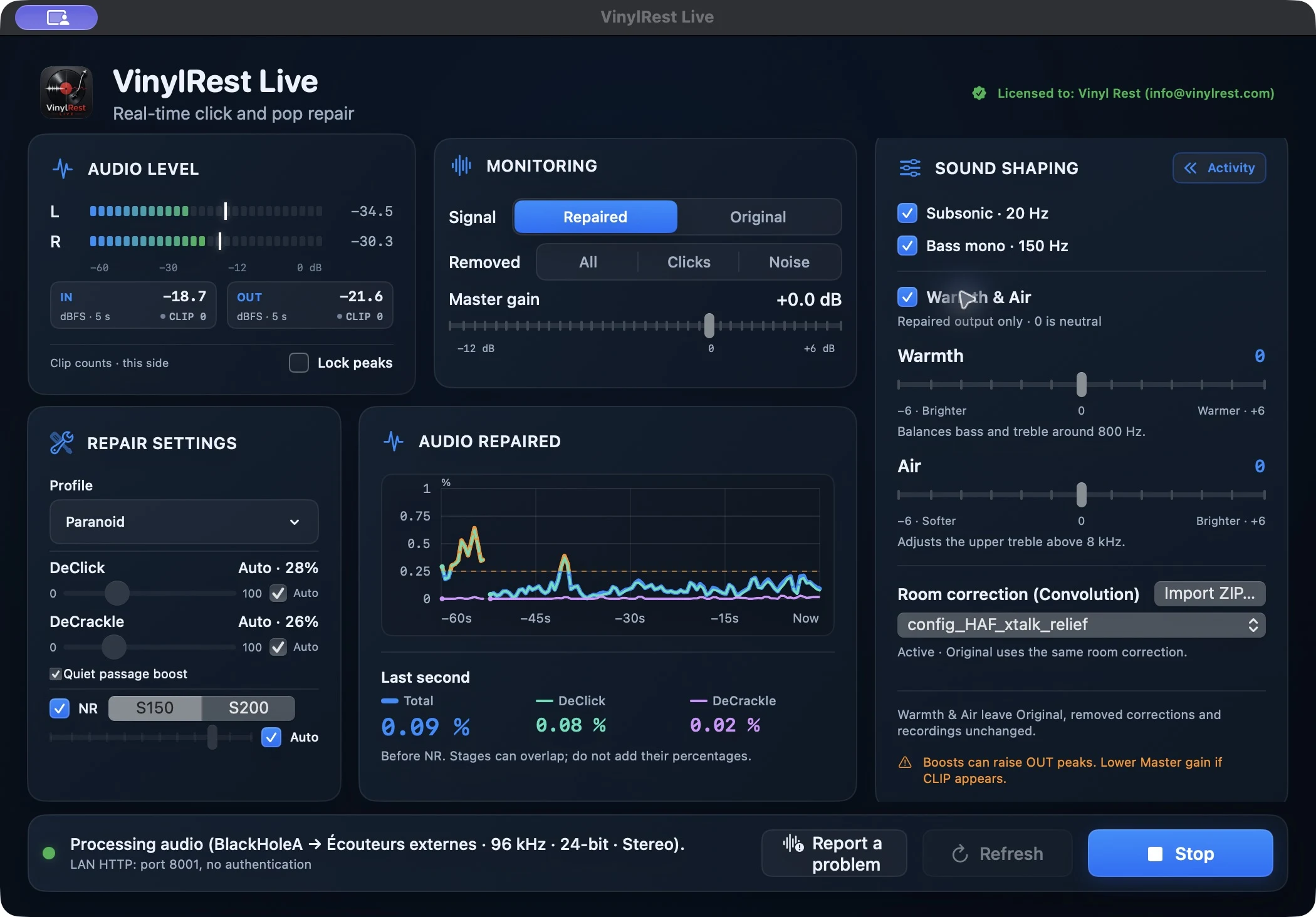
Sound Shaping brings Subsonic, Bass mono, Warmth, Air and convolution room correction together. Keep Warmth and Air at 0 for neutral tone, or make small adjustments while listening.
VinylRest Live supports compatible convolution filters designed for Roon. Home Audio Fidelity offers custom speaker and room correction filters, including supported stereo-matrix profiles with crosstalk routes.
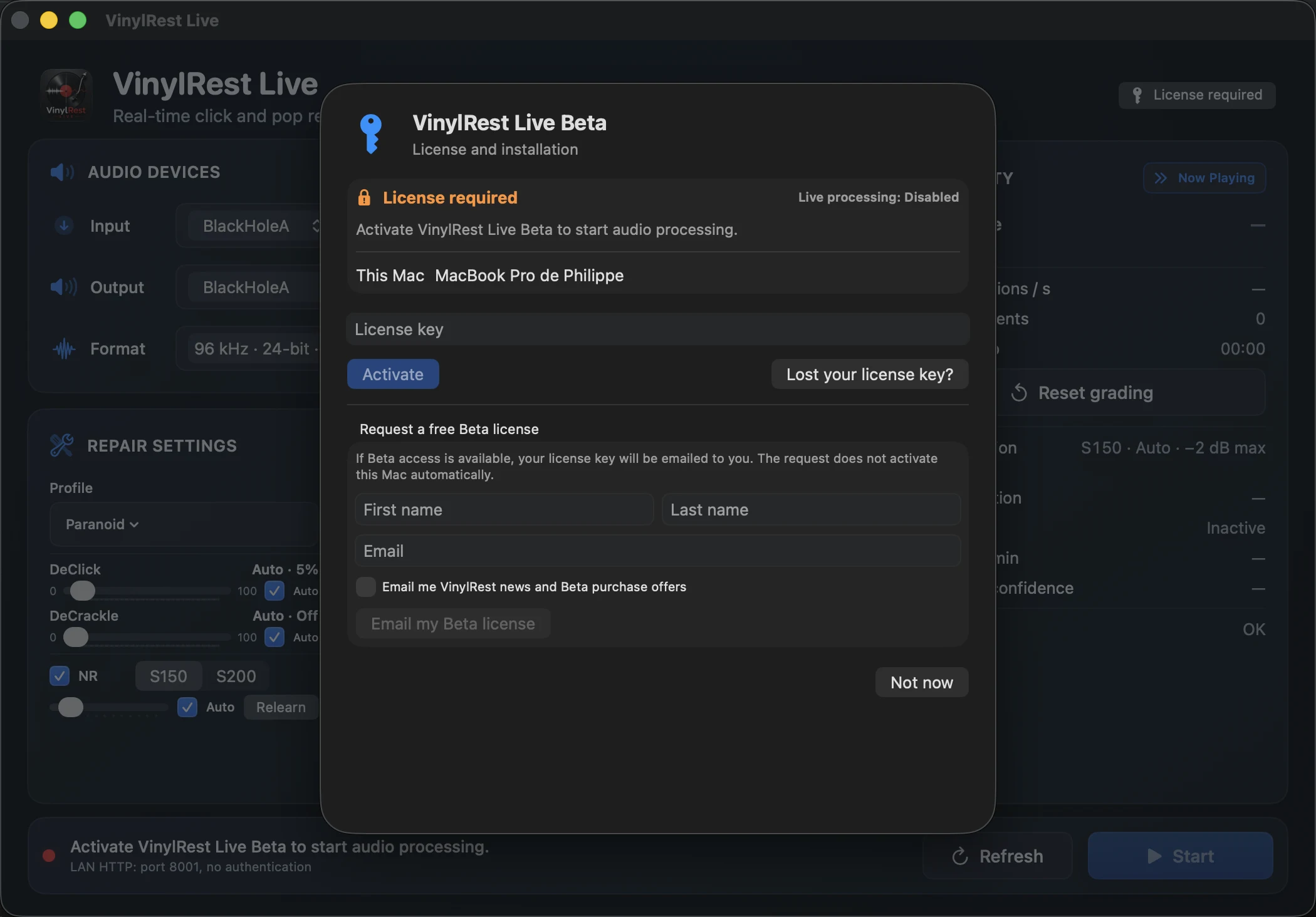
The Beta is free, but Live processing requires a Beta license. On first launch, request one from the native License window or enter a key you already received. The optional marketing choice is off by default.
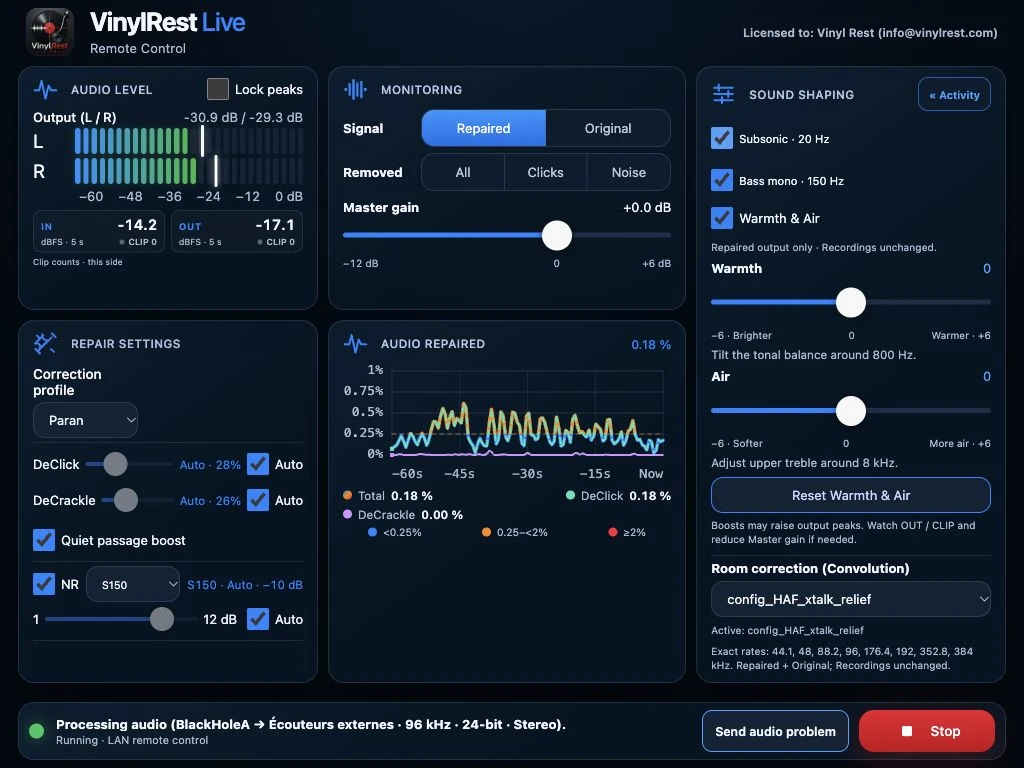
Enable the local HTTP server, then open the address shown by VinylRest Live on a phone, tablet or another computer connected to the same network. The responsive WebApp mirrors the essential controls and live monitoring.
Audio problem reports: the Mac button saves the preceding 10 seconds and following 5 seconds locally for review, export or an explicitly approved upload. The WebApp's Send audio problem button captures and automatically uploads that audio and diagnostic context to VinylRest. This reporting feature keeps a rolling local buffer, but does not continuously upload your listening session. Use it only when you intend to share the audio.
The native application keeps configuration and diagnostics together. The WebApp reshapes the same session for a tablet or phone.
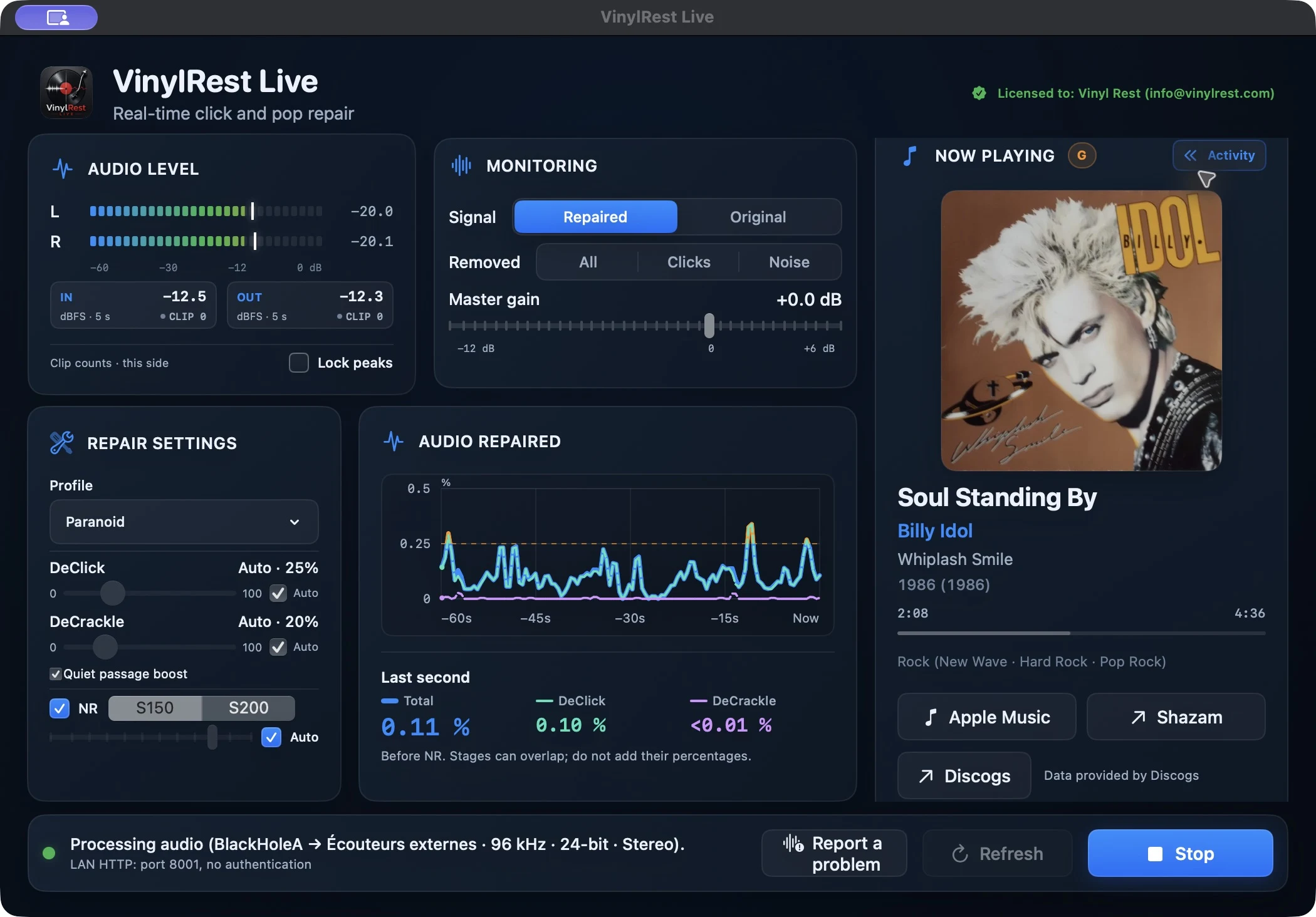
Select the stereo input connected to your turntable or phono preamp, then choose the output used by your listening system.
Input and output must expose the same sample rate and bit depth. VinylRest Live shows only compatible choices.
Begin with Mid, NG2, DeClick Auto, DeCrackle Auto and NR S150 Auto, then watch the meters and compare Repaired with Original.
VinylRest Live uses a direct stereo audio path. Available formats still depend on the capabilities of your input and output devices.
Connect the line-level signal from your turntable or phono preamplifier to your Mac's audio input, select the output connected to your listening system, and press Start. VinylRest Live processes the audio as the record plays, so you do not need to record a whole side first.
No. VinylRest restores the audio signal, not the grooves. It reduces audible clicks, crackle and surface noise without changing the physical record.
Yes. For vinyl record restoration from existing audio files, use VinylRest File for Mac. It processes digitized recordings and saves new output files while keeping the originals intact.
The English user manual covers installation, free Beta licensing, audio routing, repair profiles, grading, signed updates, the WebApp and troubleshooting.