Clicks and crackle
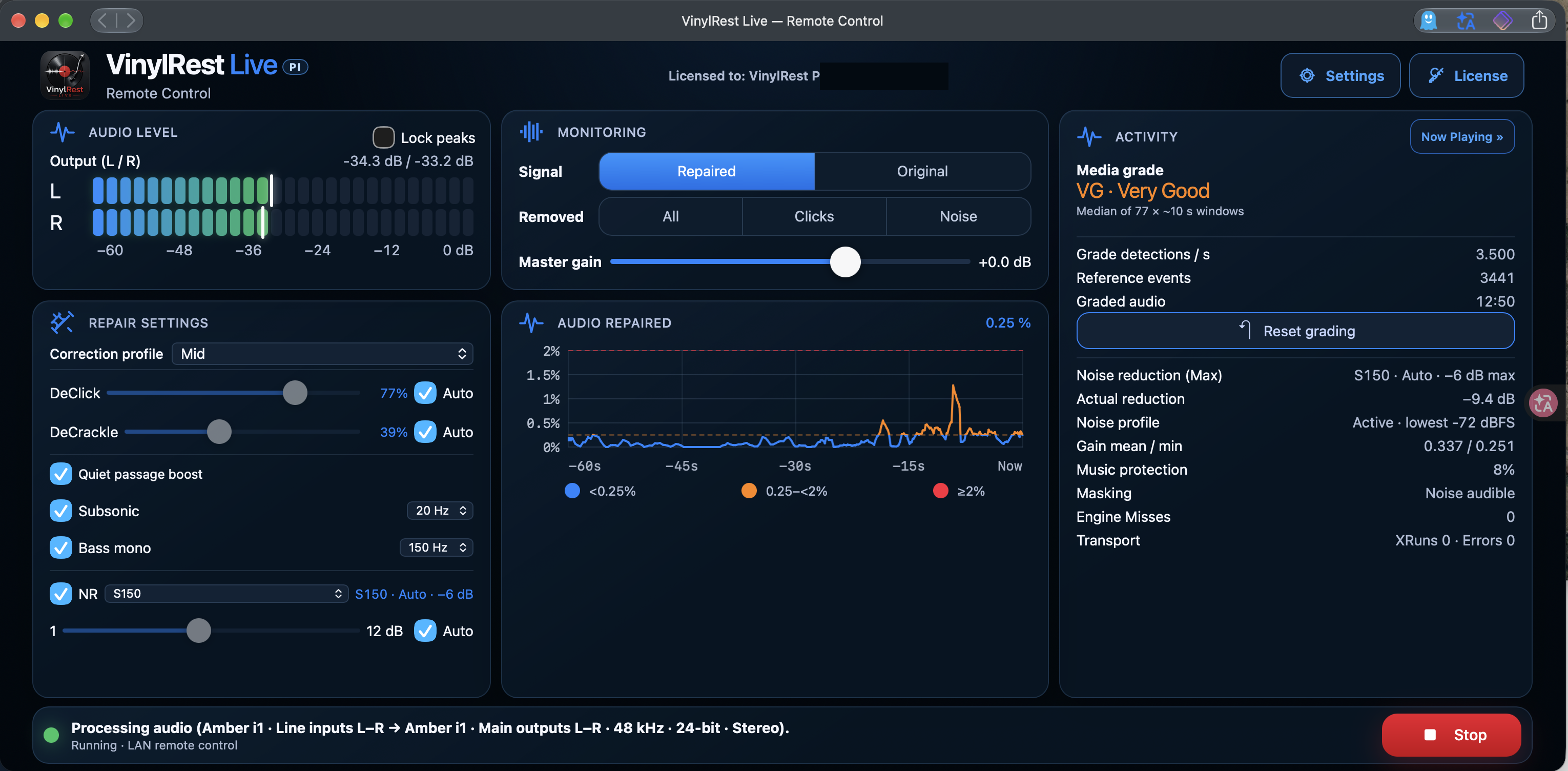
Independent DeClick and DeCrackle controls let you choose manual correction or let Auto follow the condition of the record.
Give your turntable a dedicated restoration companion. VinylRest Live Pi reduces clicks, crackle and surface noise as you listen, with controls and album artwork in the browser on your phone, tablet or computer.
Beta image 1.00.lin.b1-23 RC1 · 459 MB download · 8 GB or larger microSD card
Download the compressed image and select it directly in Raspberry Pi Imager as a custom image. Follow the first-boot guide to connect the Pi and find it with VinylRest Discovery.
Current image: 1.00.lin.b1-23 RC1 · 459 MB compressed / 7.26 GB expanded · microSD card of at least 8 GB.
Writing the image erases the selected card. The image contains no activated license; request Beta access or activate your existing Live license after startup.
Keep it beside your hi-fi. A compatible USB interface receives the signal from your phono stage and sends the restored stereo output to your amplifier.
Independent DeClick and DeCrackle controls let you choose manual correction or let Auto follow the condition of the record.
Choose NR S150 or S200. Live can learn a one-second noise profile from the lead-in and use automatic grade-dependent limits.
Compare Repaired with Original, or listen to removed clicks and noise to judge how much correction your music needs.
Optional Subsonic filtering and Bass mono help manage very low-frequency energy and the stereo bass content.
Watch sixty seconds of repaired-audio history, output levels and an independent audio-based media grade.
Saved settings, an independent Configurator, support diagnostics and signed updates keep maintenance within reach.
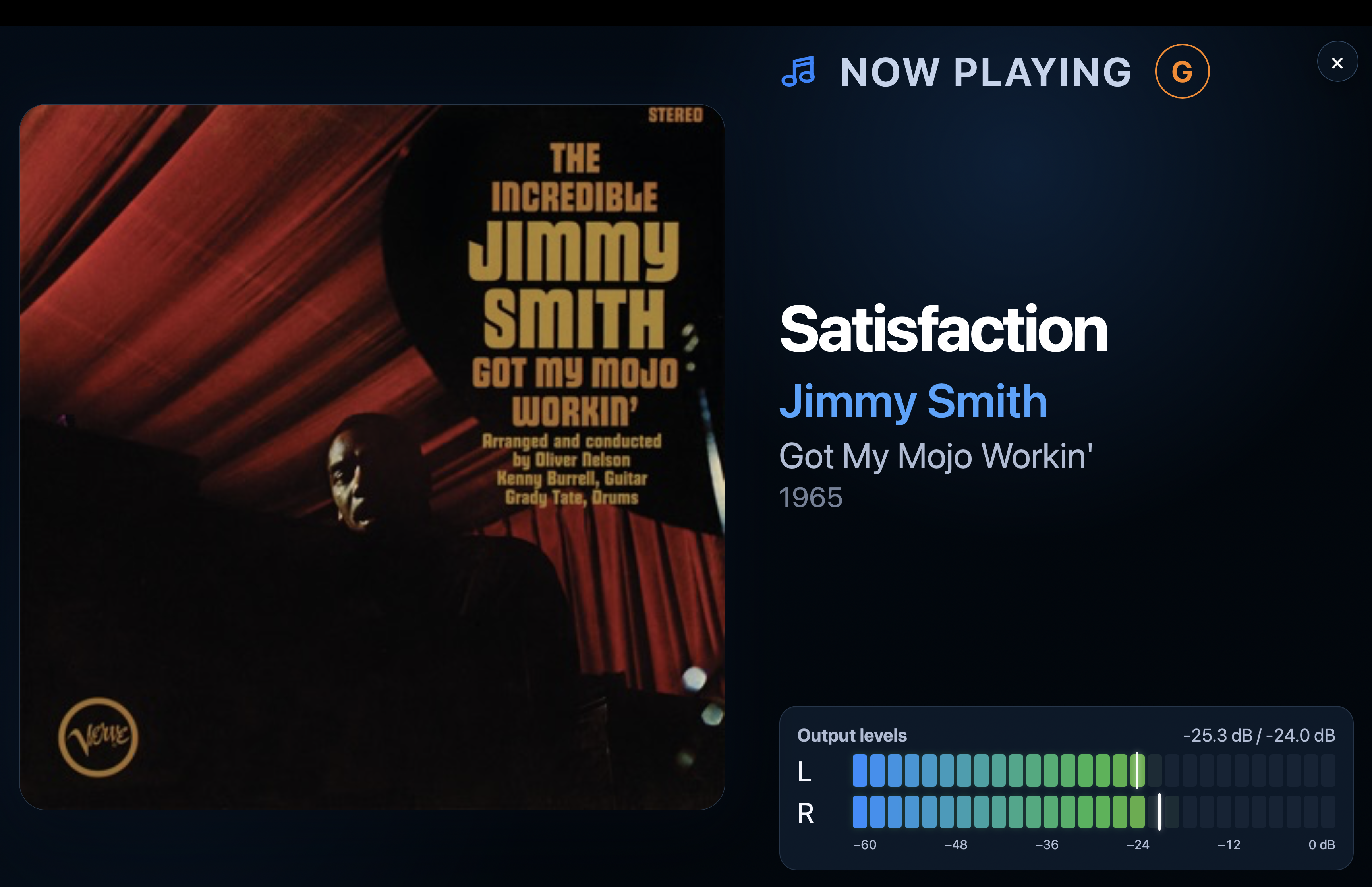
Now Playing brings recognised artwork, artist, title and album information to your listening position. Expand the cover for a full-screen display with output meters, or return to Activity to inspect the restoration.
Music recognition uses an Internet connection. The browser controls the appliance; the restored sound comes from the Pi's USB audio interface.
Explore the dashboardFind it again after a network or address change with Refresh.
VinylRest Live Discovery finds the appliance on your network and opens the right page in your default browser. Use it after the first boot, after an update, or whenever the Pi's address changes.
The Mac download supports Apple silicon and Intel on macOS 13 or later. You can also open the Pi's address directly from any browser on the same trusted network.
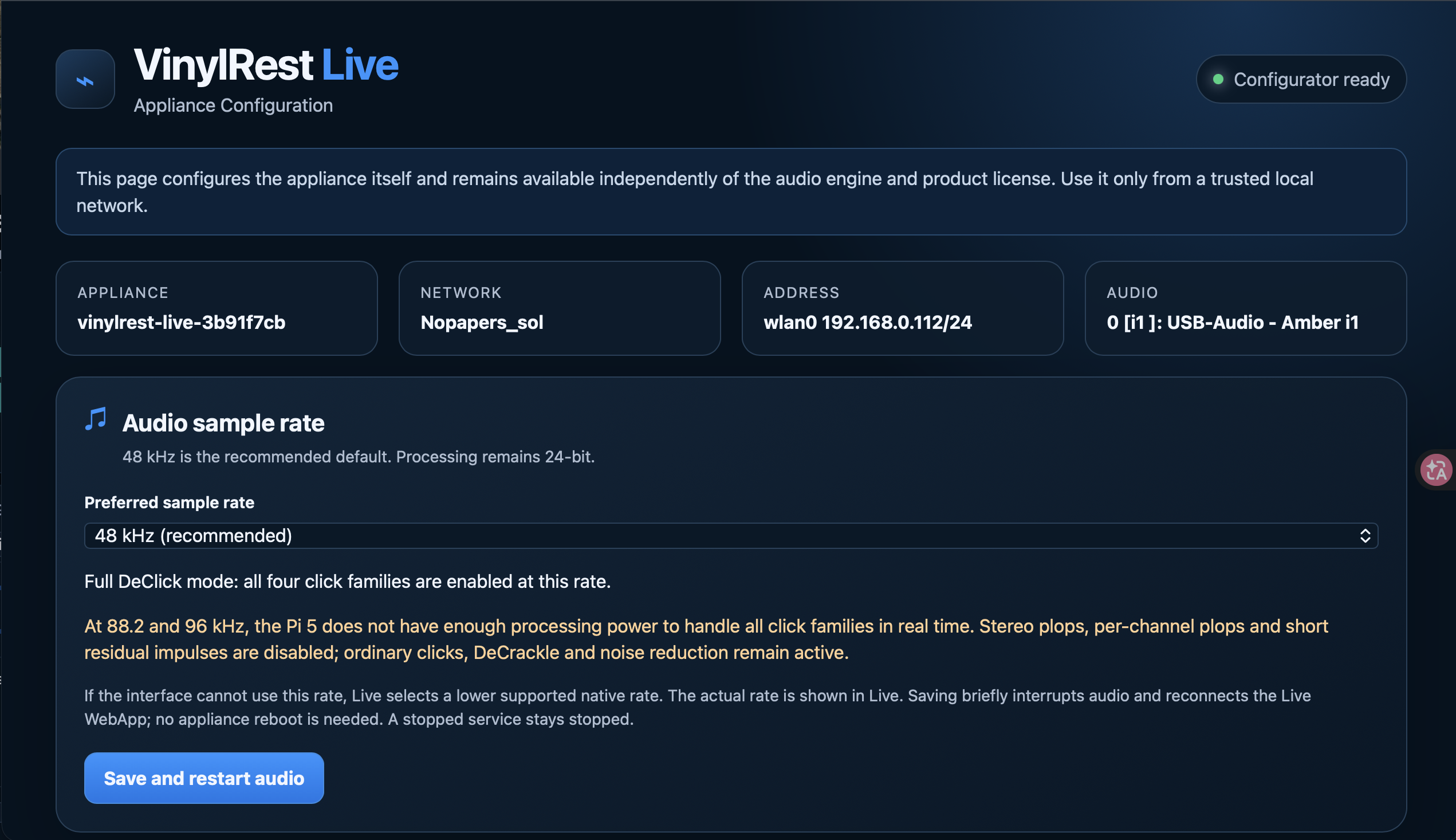
Set the network, timezone and audio sample rate, manage administrator access, install an update or download a diagnostic report. The Configurator remains available independently of the audio engine and license.
Begin at 48 kHz / 24-bit. On Pi 5, 88.2 and 96 kHz retain correction of ordinary clicks, DeCrackle and NR, while the more demanding click families are disabled.
Meet the ConfiguratorRaspberry Pi 5 is strongly recommended. Use at least 1 GB of RAM and an 8 GB or larger microSD card. Add one USB audio interface and control everything from a browser.
Start at 48 kHz / 24-bit. Pi 4 is limited to 48 kHz and needs careful stability checks with your settings and records. Pi 5 also offers 44.1, 88.2 and 96 kHz, subject to interface support. Higher rates on Pi 5 reduce the available click-processing families.
The power budget must also cover USB-powered audio hardware. An interface with its own power supply must use that supply.
Use a Linux-compatible USB audio interface with simultaneous stereo line input and stereo output, supporting a common native 48 kHz / 24-bit format.
Input and output must be on the same device. The appliance uses one shared hardware clock; separate USB input and output devices are not a supported setup. Do not combine a USB input with the Pi's HDMI or analogue output.
Connect your phono preamplifier to the interface inputs, and its outputs to your amplifier or powered speakers. Include the appropriate USB and audio cables.
Request Beta access or activate an existing Live key from the License page. Pi and Mac installations share the same Live license allowance.
The compact interface shown in our screenshots. USB-powered, with stereo RCA line inputs and balanced 6.35 mm TRS line outputs.
Use the rear line inputs from your phono preamplifier and select the computer playback signal for monitoring.
A USB-C interface with six rear balanced 6.35 mm TRS line inputs and ten analogue outputs, including the Main Out pair. It uses an external power supply.
Select one stereo line-input pair and one stereo output pair in Live. Check the interface's internal routing so you hear the processed USB return, not a direct input mix.
MOTU UltraLite-mk5 — manufacturer product page ↗ · Official user guide ↗
These are hardware references, not a guarantee for every firmware and sample-rate combination. Confirm the input/output routing and stable playback with the Beta on your own setup.
Audio chain: turntable → phono preamplifier → USB interface / Live Pi → amplifier or powered speakers. A separate phono preamplifier is not needed if your turntable already supplies a suitable line-level signal.
The illustrated manual covers Discovery, licensing, calibration, automatic restoration, settings, updates and recovery.