Read the dashboard
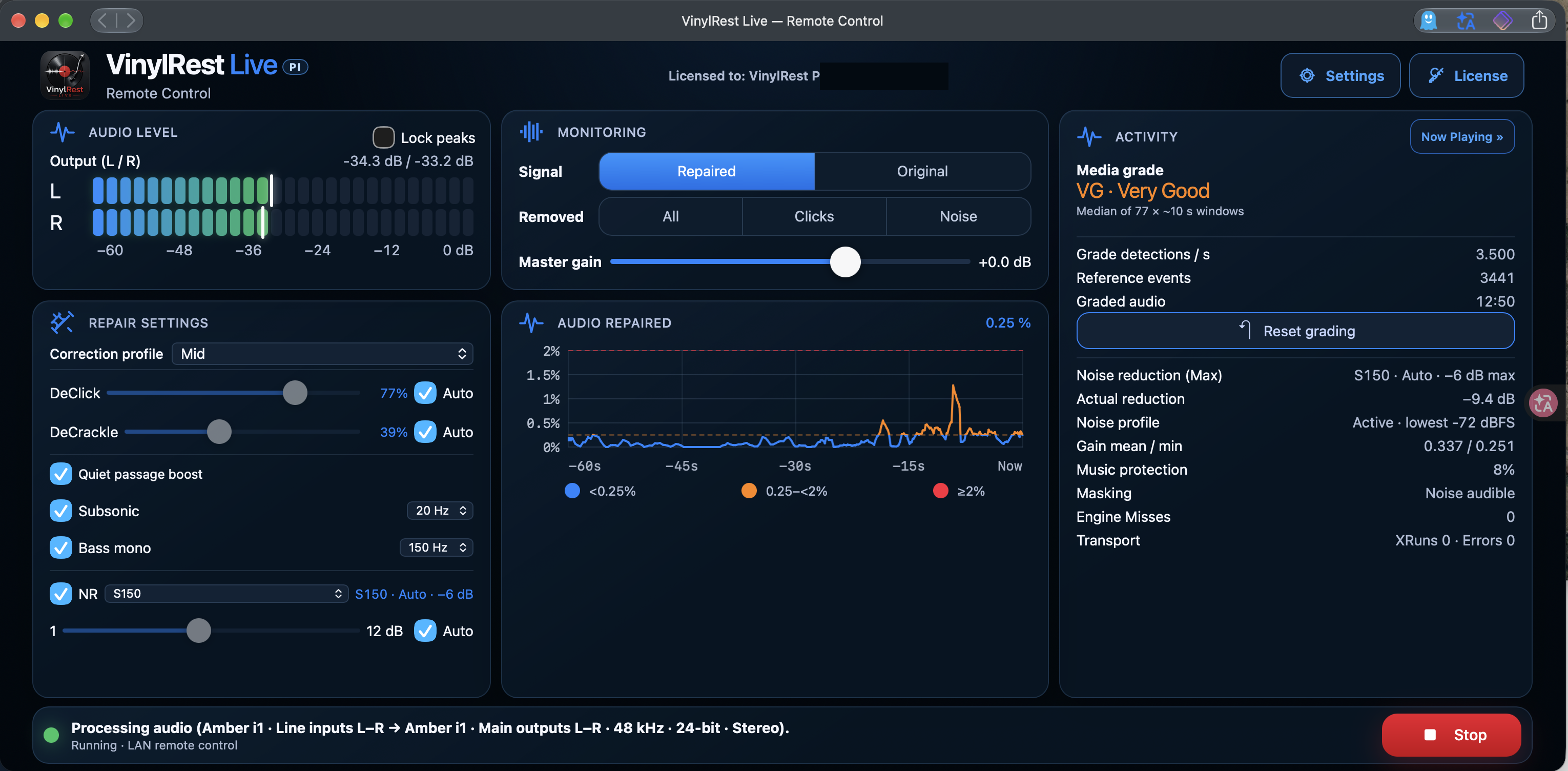
- Audio Level
- Output levels for left and right. Use Lock peaks to retain the peak indication while checking levels. Avoid sustained peaks at 0 dBFS.
- Repair Settings
- The correction profile, independent DeClick and DeCrackle controls, Quiet passage boost, Subsonic, Bass mono and NR.
- Monitoring
- Select the signal you hear and adjust Master gain.
- Audio repaired
- A rolling 60-second view of the percentage of stereo audio frames changed by DeClick or DeCrackle. A frame changed by both is counted once.
- Activity
- Media grade, reference detections, noise-profile state, effective reduction and audio health counters.
- Status bar
- The actual interface, input/output pairs, sample rate and bit depth, plus the Start or Stop control.
The graph is blue below 0.25%, orange from 0.25% to below 2%, and red at 2% or above. These colours describe repair activity; they are not clipping indicators or automatic quality ratings. Noise reduction is reported separately in Activity.
Compare what you hear
- Repaired: listen to the restored output.
- Original: compare with the original signal using the aligned monitoring path.
- Removed → All: inspect the combined removed signal.
- Removed → Clicks: inspect the impulse-repair contribution.
- Removed → Noise: inspect the noise-reduction contribution.
Removed modes are diagnostic listening tools. If they contain too much recognisable musical detail, reduce the relevant repair level or try a gentler profile. Compare at a comfortable, consistent listening volume.
Understand the Activity panel
Media grade is an experimental audio-based estimate from an independent reference analysis. It is not an official record-marketplace grade. Engine Misses indicate restoration work that missed its processing deadline; XRuns and Errors relate to audio transport. Use Troubleshooting if these counters keep increasing.
Reset grading begins a fresh grade measurement. Grading also follows side changes detected from input activity and silence. Live shows the effective NR maximum and the current noise profile separately from the measured Actual reduction; these values describe different quantities.
Now Playing
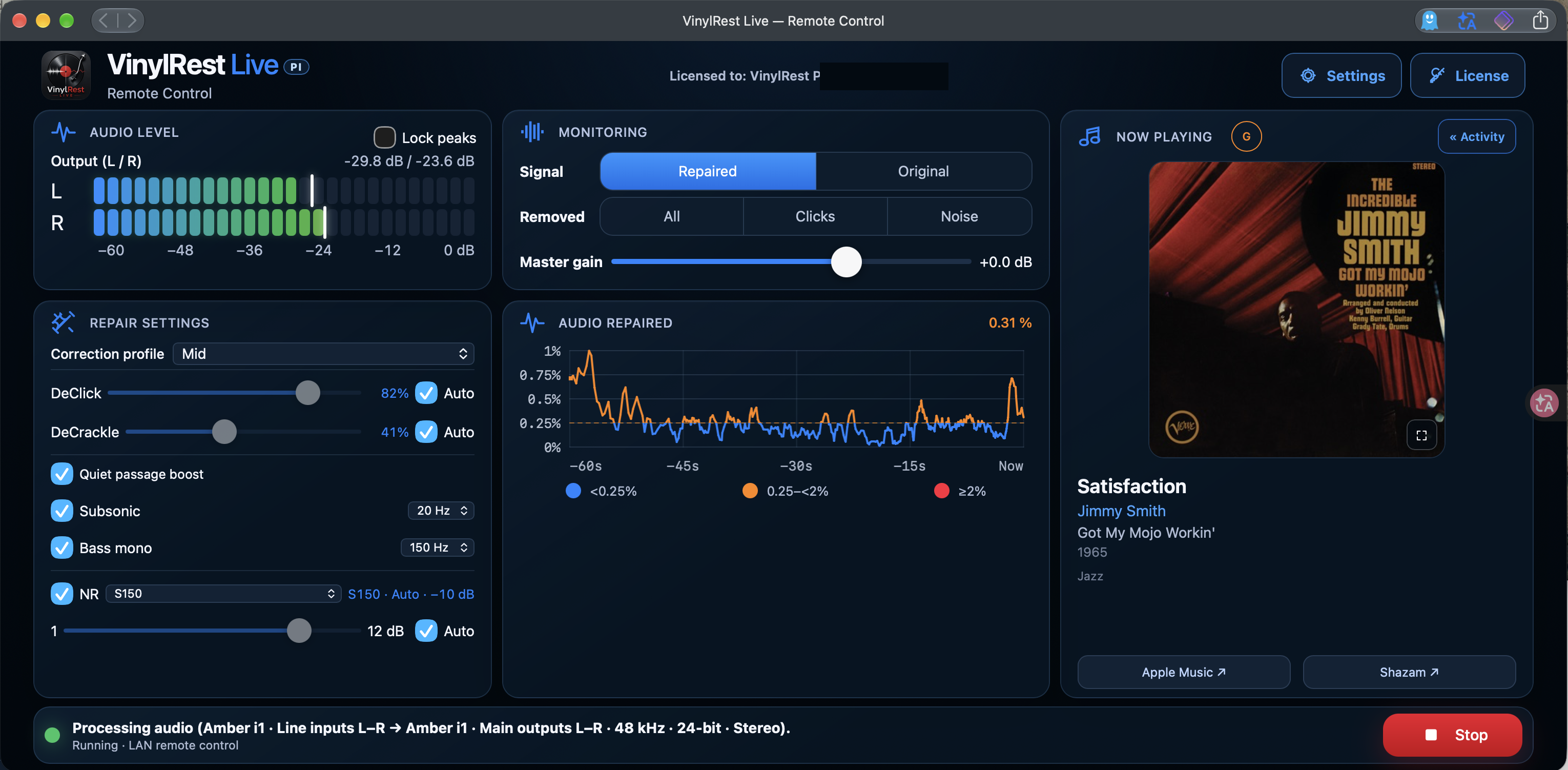
Select Now Playing » to show the recognised track. Use « Activity to return to diagnostics. When a track is recognised, the panel can show its cover, artist, album, year and genre, with links to Apple Music and Shazam.
Music recognition needs Internet access and a successful match. Missing artwork or a failed match does not stop the local restoration engine.
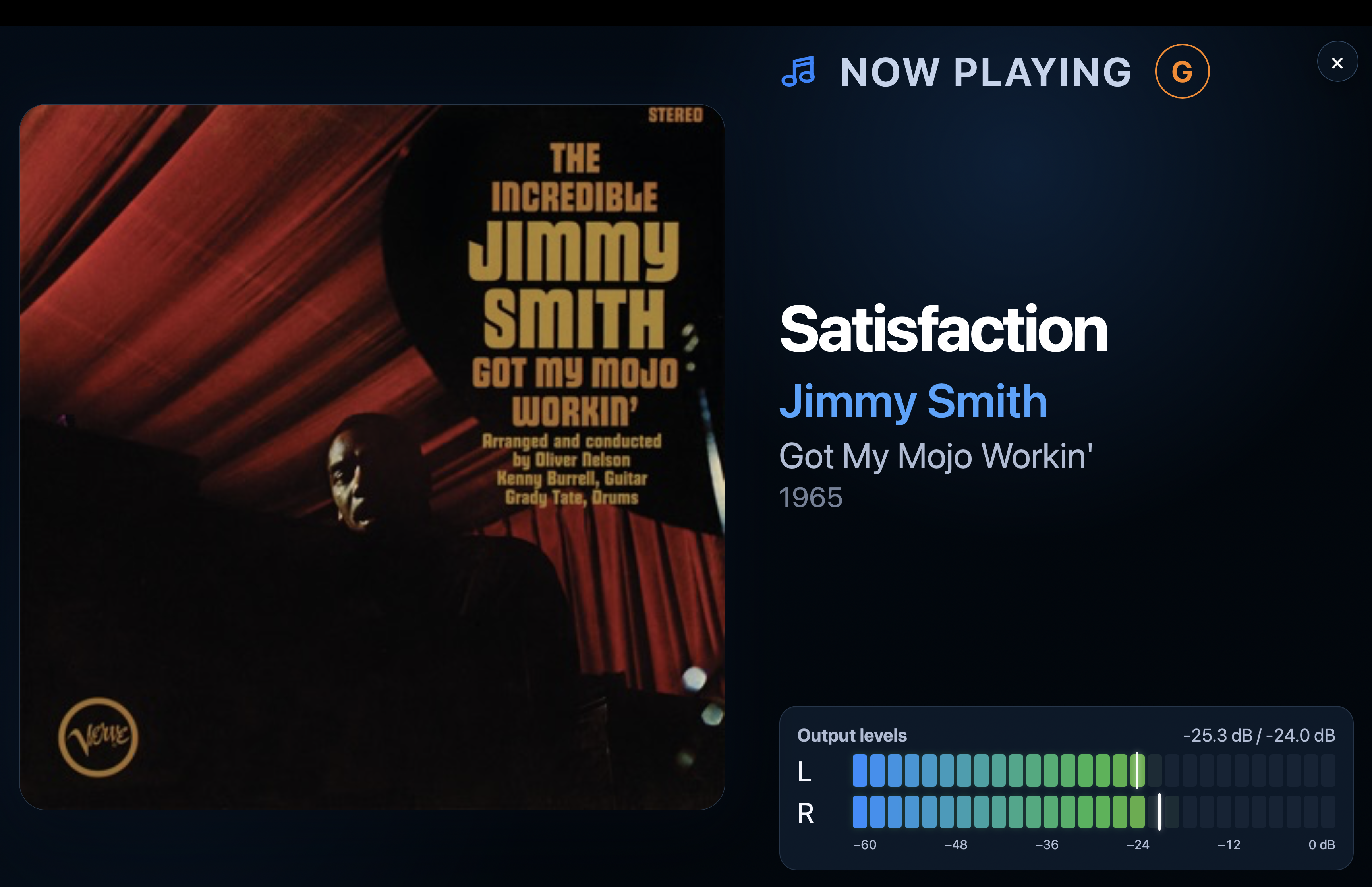
Use the expand control on the artwork for the full-screen view and the close button to return. The browser remains a display and controller; it does not stream the Pi's audio to your phone or tablet. Meter appearance, full-screen alignment and the idle clock are configured under Settings → Interface.