Activate the appliance
- Open Live using Discovery or
http://PI-ADDRESS:8001/, then select License. - If you do not already have a license, use the Beta-license request form and follow the emailed instructions.
- Enter your existing or newly received key in the activation form and submit it.
- If all installations are already in use, review any proposed replacement and explicitly choose which old installation to release.
- Confirm that the page reports Active, then return to the dashboard and check the audio status.
The Pi uses the same VinylRest Live product license and installation allowance as macOS. An activated Pi consumes one installation from that shared allowance. Internet access is required for license requests, activation and periodic validation.
Read the status
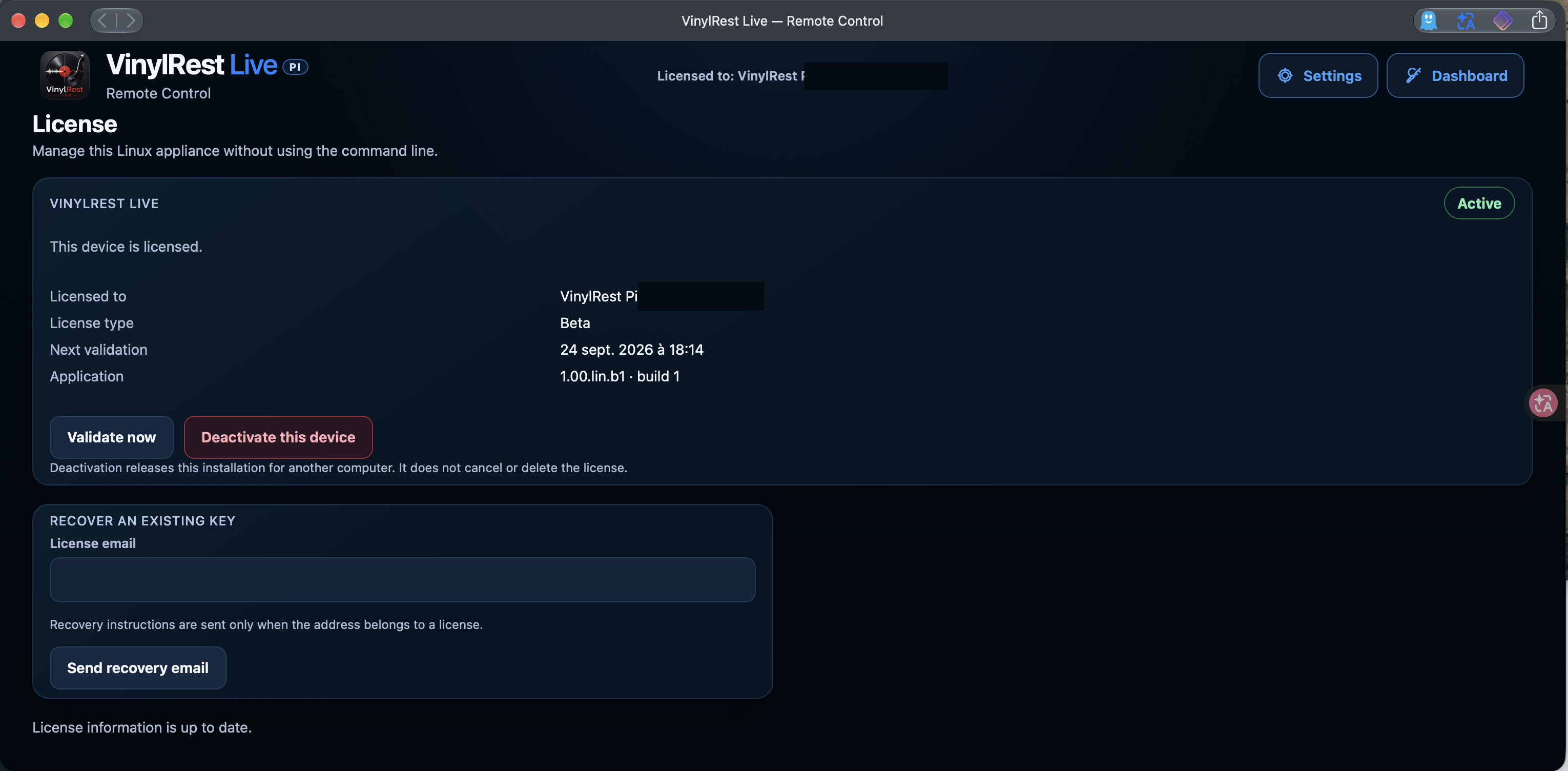
The page shows the licensed identity, license type, next validation deadline and application version. The screenshot is an already activated example; a new appliance presents the request and activation controls instead. Follow the deadline displayed by your own license rather than the example date in the image.
Validate now checks the current authorization with the license server. If validation fails, confirm Internet access and the Pi's date and timezone. A temporary failure and an expired authorization are different states; follow the message displayed on the page.
Recover an existing key
In Recover an existing key, enter the email address used for your license and select Send recovery email. Follow the received instructions and check your junk folder if needed. Recovery mail is sent only when that address belongs to a license.
Deactivate this device
Deactivate this device releases this Pi's installation so it can be used elsewhere. It does not cancel or delete the license. Deactivation stops authorized processing on the Pi; use it before retiring or reflashing an appliance when possible.
A factory configuration reset is different: it preserves license state and does not release an installation. See Updates and recovery before choosing between reset and reflash.
The human-readable key is not retained after activation. Perform licensing only on your trusted LAN, because the appliance WebApp uses HTTP.