
Open System Maintenance
In Discovery, choose System Maintenance, or open http://PI-ADDRESS:8003/. The Configurator operates independently of the Live audio process and product license, so it can help even when the dashboard cannot start audio.
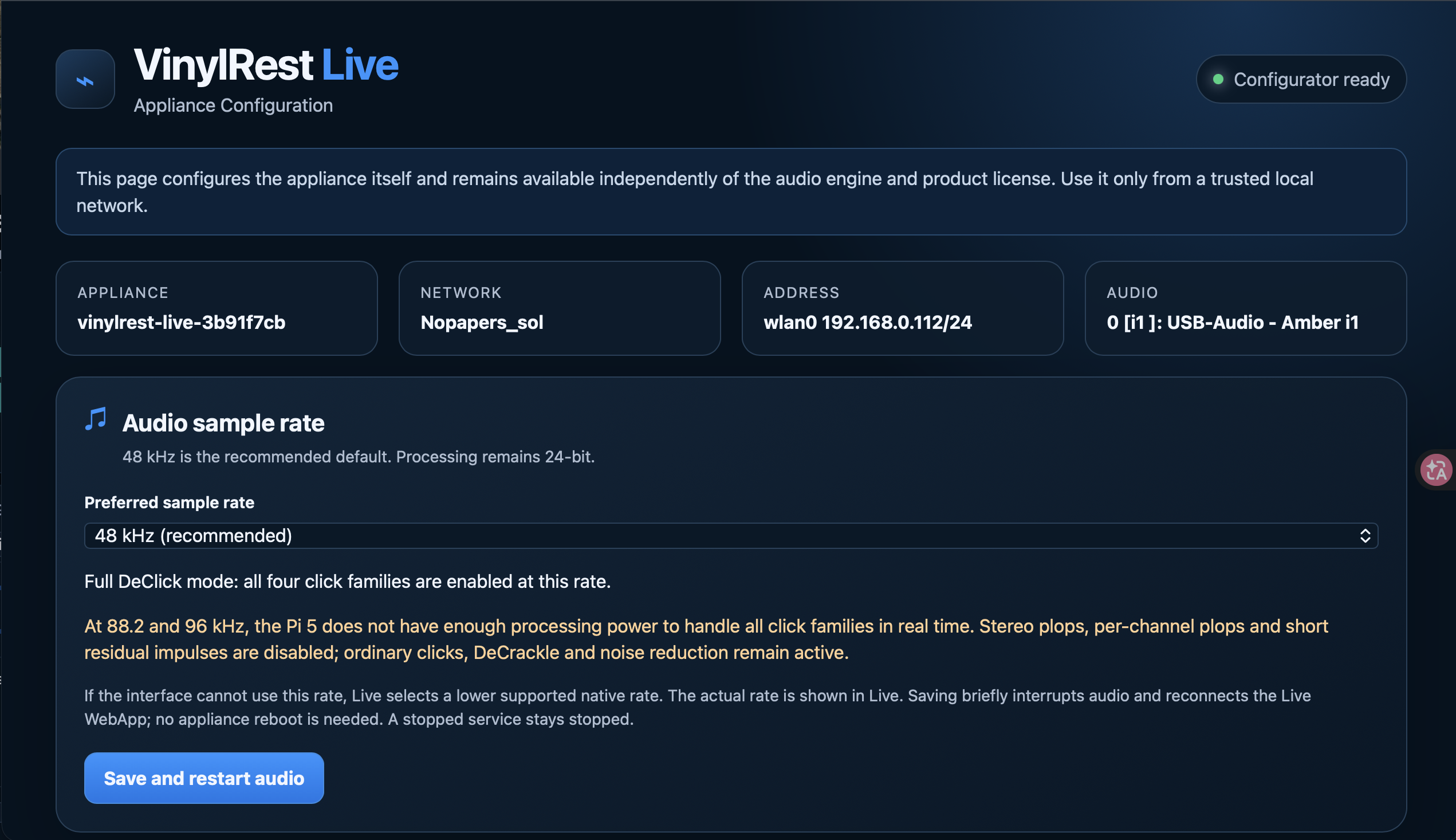
Audio sample rate
48 kHz / 24-bit is the recommended starting point. Pi 5 offers 44.1, 48, 88.2 and 96 kHz; Pi 4 Model B offers 48 kHz only. The saved rate is a preference ceiling: Live chooses a lower supported common native rate if necessary. The dashboard status bar reports what is actually running.
Select the rate and choose Save and restart audio. Confirm the brief interruption. Live and its browser connection restart, but the appliance itself does not need a reboot. An administratively stopped service stays stopped. If you move a card from Pi 5 to Pi 4, explicitly save 48 kHz; merely opening the page does not change the old preference.
Identity, region and Wi-Fi
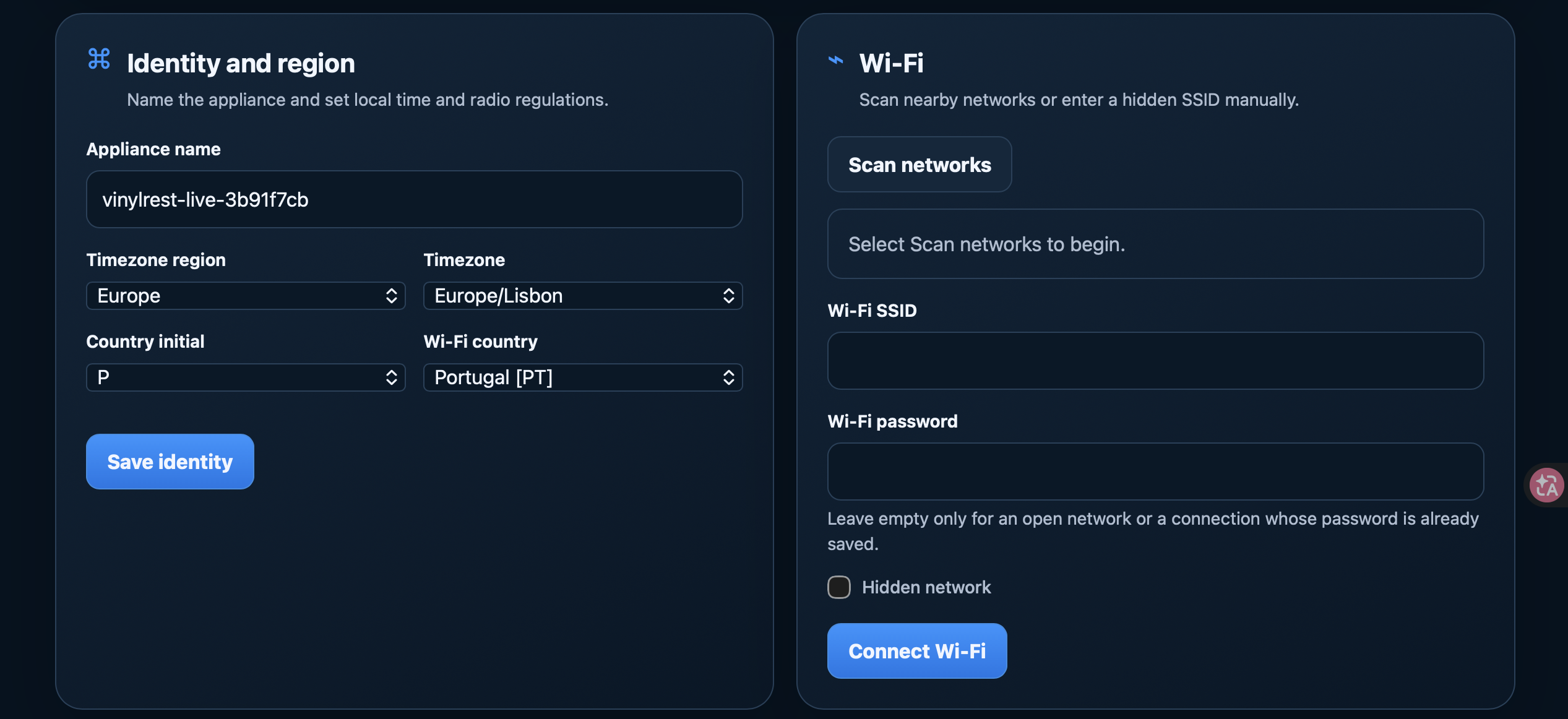
Choose an appliance name, timezone region, timezone and the Wi-Fi country where you use the Pi. Select Save identity. After a name or network change, find the appliance again with Discovery if the old address stops working.
For Wi-Fi, choose Scan networks, select your network or enter its SSID manually, and provide the password. Enable Hidden network when needed, then select Connect Wi-Fi. Leave the password empty only for an open network or a connection whose password is already saved. Ethernet is useful as a fallback while changing Wi-Fi.
Administrator access
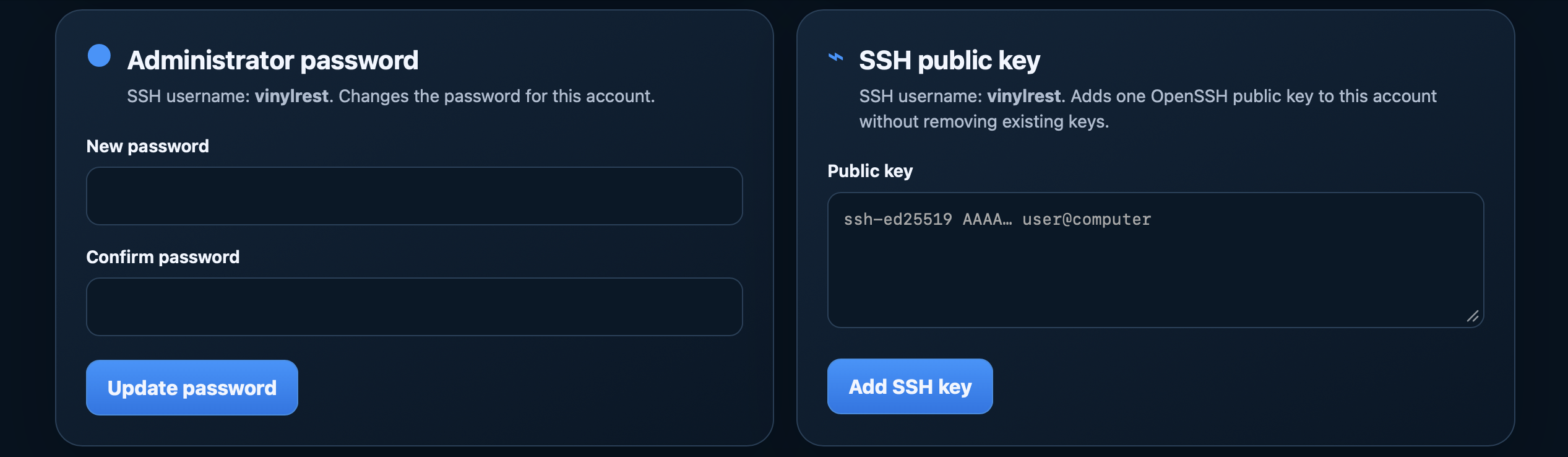
The SSH username is vinylrest. A clean public image has no shared initial SSH password. You can set one with Update password, or paste your OpenSSH public key and choose Add SSH key. Adding a key preserves existing keys. Never paste a private key.
SSH is optional for everyday operation. This administrator account has elevated maintenance access; keep its credentials under your control. Changing its password does not protect the HTTP configuration page.
System status
Use Refresh status to inspect the timezone, connected network, administrator account, SSH-key count, audio cards and preferred rate. Reboot appliance interrupts audio and restarts the Pi. Rediscover it once startup finishes.
Software updates, diagnostic reports and factory configuration reset are covered in Updates and recovery.