
Before you begin
Open Settings → Input calibration with the selected audio interface connected and the audio session running. Measurements use raw interface input, before restoration and Master gain. Adjust hardware input gain when required; changing output Master gain does not fix an overloaded input.
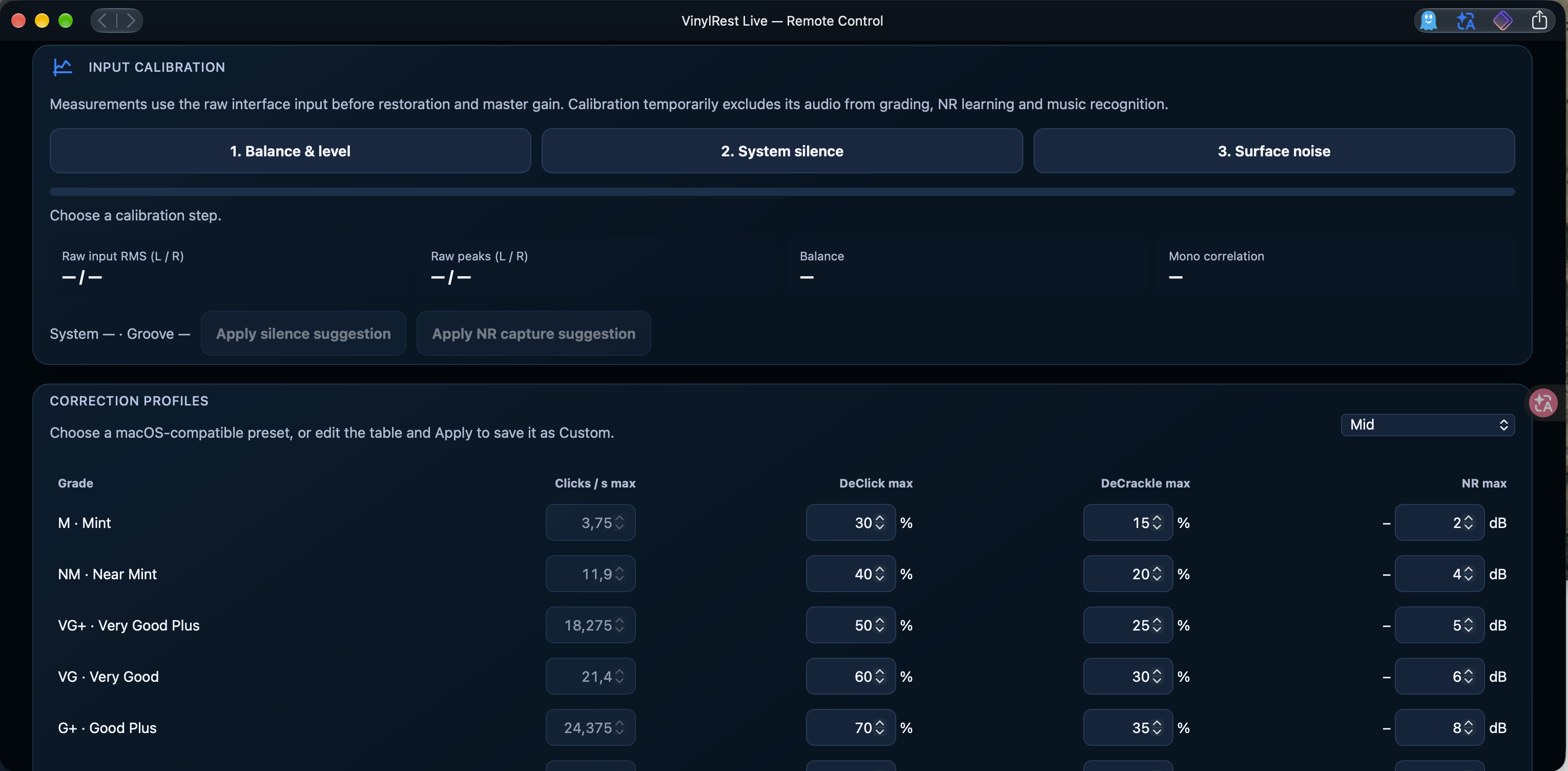
Calibration temporarily excludes its audio from grading, noise-profile learning and music recognition. Follow the on-screen instructions and wait for each step's result.
1. Balance & level
- Use a known mono signal. If your phono preamplifier has a Mono switch, enable it and play a strong passage as the interface instructs.
- Select 1. Balance & level.
- Read raw input RMS, raw peaks, channel balance and mono correlation. Adjust the interface's input gains together for level, and individually if the channels need balancing.
- Aim for peaks around −12 dBFS and follow the result's guidance. Keep margin below 0 dBFS.
- Repeat the measurement after adjusting gain, and restore normal stereo operation when finished.
Do not infer a hardware balance fault from an arbitrary stereo recording: the left and right music can legitimately differ. If you cannot provide a mono signal, treat that balance measurement cautiously.
2. System silence
Lift the stylus or stop the turntable while leaving the audio chain powered, then select 2. System silence. This measures the powered system's background level without groove noise. Muting or disconnecting the interface would measure a different condition.
3. Surface noise
Place the stylus in a lead-in or inter-track groove without music, then select 3. Surface noise. Avoid a musical passage and obvious handling noise. Live compares this measurement with system silence to judge whether the two can be separated reliably.
Apply the suggestions
Review the resulting confidence and message. When available, Apply silence suggestion updates the silence threshold and Apply NR capture suggestion updates the noise-profile capture ceiling. The suggestions do not apply themselves.
If a suggestion is unavailable or the two measured levels are too close, check gain, grounding and signal routing, then repeat the relevant steps. Do not raise the capture ceiling simply to force learning during quiet music.
Finally, return to the dashboard, play a side from its lead-in and confirm that meters, side detection and the noise-profile state behave as expected. Revisit calibration after changing the cartridge, phono stage, interface or hardware gain.