Supported audio
| Container | Accepted content |
|---|---|
| WAV | Lossless PCM audio |
| AIFF / AIF | Lossless PCM audio |
| FLAC | Native macOS lossless decoding |
| M4A | Apple Lossless (ALAC) only |
| MP3 or AAC | Not accepted |
Supported files may be mono or stereo. ABC Player decodes through the native macOS audio stack and compares the resulting sample timelines.
.m4a file may contain ALAC or AAC. ABC Player inspects the actual codec and rejects lossy AAC.The strict pair contract
- Sample rate
- A and B must report exactly the same rate in hertz.
- Channels
- A and B must have the same channel count. Use mono with mono or stereo with stereo.
- Frame count
- A and B must contain exactly the same number of frames, including any leading or trailing silence.
Bit depth and source container can differ if macOS decodes both files into the same sample-rate, channel and frame timeline. However, for the clearest experiment, export A and B from the same lossless production format whenever possible.
File selection errors
“Choose both A and B before starting playback”
Select a valid file in each card before using the transport. Replacing one file can temporarily leave the pair incomplete.
Unsupported file type or encoding
Choose WAV, AIFF, FLAC or an .m4a containing Apple Lossless audio. Convert MP3 or AAC from the original lossless source outside ABC Player; do not use a lossy transcode as a restoration reference.
The file could not be opened
Confirm that the file still exists, that your account can read it and that another application has not moved or replaced it. Then choose it again.
The file contains no audio frames
The container is empty or malformed. Re-export the source from the application that created it.
Timeline mismatch errors
Different sample rates
Export both files at one rate, such as 44.1, 48, 96 or 192 kHz. Do not let one restoration or export step change only B’s rate.
Different channel counts
Export both files as mono or both as stereo. ABC Player does not duplicate, drop or remix channels.
Different frame counts
Return to the source project and export exactly the same range for A and B. Preserve identical leading silence, tail and boundary frames. Do not trim only the cleaned result.
Playback problems
No sound
- Confirm that A and B are both loaded.
- Select A Source or B Cleaned rather than assuming C contains audible material.
- Check the current macOS output device and its volume in Control Center or System Settings.
- Try a known-good lossless file pair.
- Quit and reopen ABC Player if the system audio device was disconnected during playback.
C Difference is silent
If A and B are identical, silence is correct. If you expected a change, confirm that you did not select the same file for both roles and that the processing actually produced a different sample stream.
C Difference contains music
Check for gain changes, polarity inversion, timing shifts, different mastering, channel changes or processing that altered musical content. ABC Player exposes the difference but does not diagnose its cause.
Playback could not start
Confirm that a working macOS output device is selected. Disconnect and reconnect the device if necessary, then reopen the application and load the pair again.
Appearance and window state
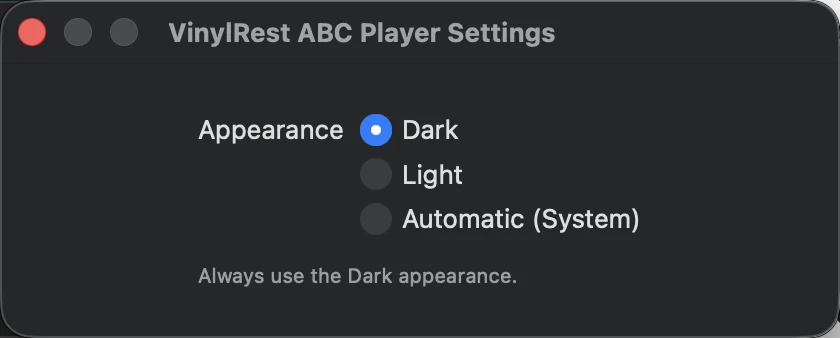
If the interface is difficult to read in the current room, open Settings with Command–, and choose Dark or Light explicitly. Use Automatic to follow macOS.
Privacy and file safety
- ABC Player does not restore, edit or overwrite A or B.
- C is calculated live and is not exported.
- The application does not upload audio, collect analytics or track listening.
- Files are chosen explicitly and are not stored as a persistent project between launches.