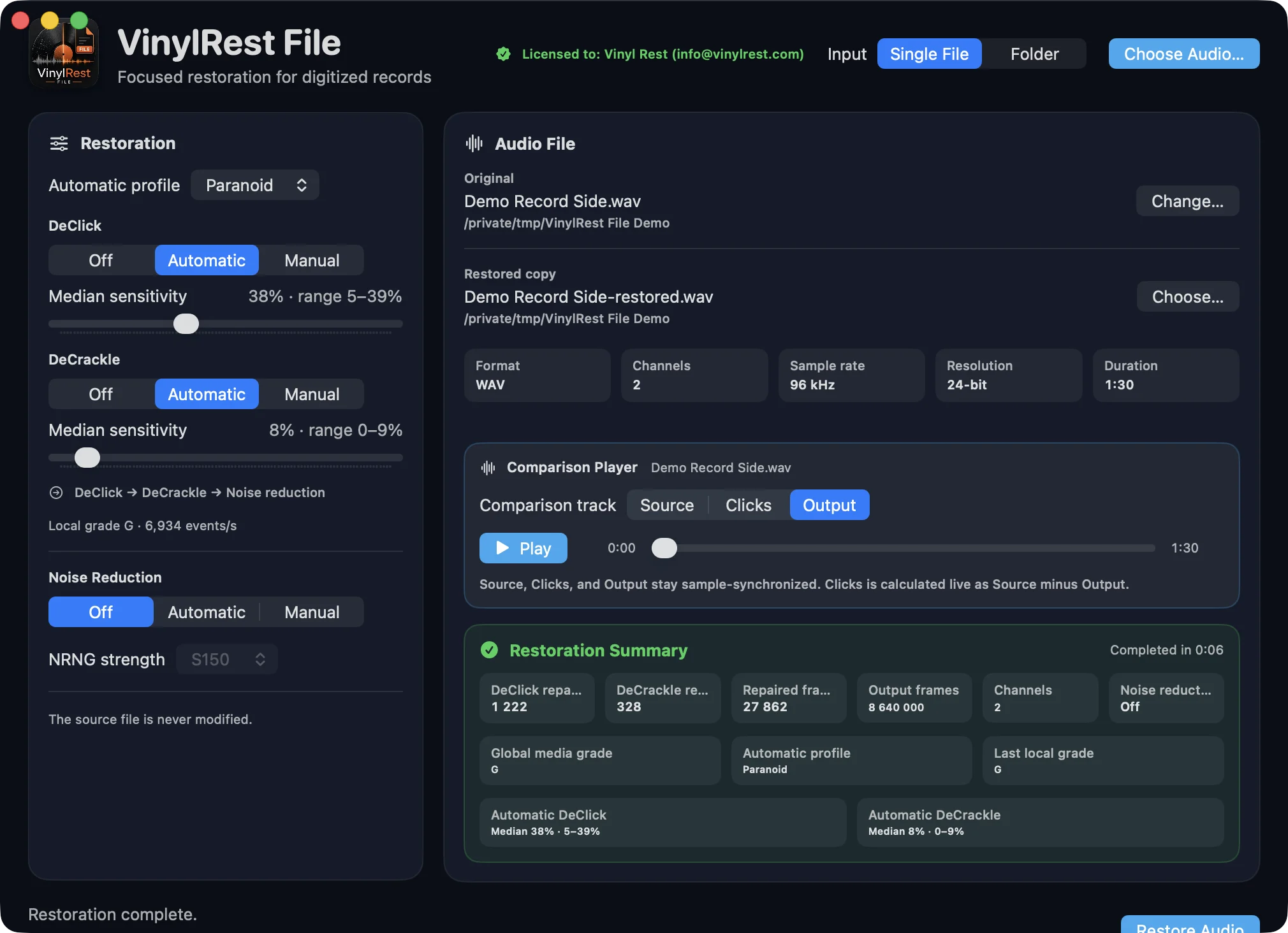
Window layout
- Header
- Select Single File or Folder, then choose the source. The input mode cannot change while processing.
- Restoration card
- Choose the profile, independent DeClick and DeCrackle modes, and optional NRNG noise reduction. The card scrolls vertically on smaller windows.
- Audio panel
- Shows the selected file and destination, source properties, synchronized comparison player and completed summary, or the folder queue and per-file states.
- Footer
- Shows the active stage, overall progress and either Restore Audio, Restore Folder or Cancel.
Input selector and source commands
Single File is intended for careful comparison of one recording. Folder builds a deterministic non-recursive queue and can process several files at once.
| Action | Menu command | Shortcut |
|---|---|---|
| Choose one audio file | File → Open Audio… | ⌘O |
| Choose one folder | File → Open Folder… | ⇧⌘O |
| Open settings | VinylRest File → Settings… | ⌘, |
| Cancel an active job | Cancel button | Esc |
VinylRest File uses one main window. Closing it quits the application. If work is active, cancellation and temporary-file cleanup complete before termination.
Restoration controls
- Restoration engine
- The current NG2 sequential DeClick → DeCrackle reconstruction path is fixed. File 1.00b1 has no method selector.
- Automatic profile
- Selects the complete limit table used by local Automatic DeClick/DeCrackle, the displayed grade and the global-grade NRNG maximum.
- DeClick
- Off, Automatic or Manual. Manual exposes a 0–100% sensitivity. Automatic shows the current local value and the final median/range.
- DeCrackle
- An independent second stage with the same Off, Automatic and Manual modes.
- Noise reduction
- Selects NRNG Conservative S150 or Primary S200 after both repair stages.
- Global grade maximum
- Read-only before and during a new analysis. The complete-file grade selects one fixed 1–12 dB NRNG ceiling; the engine may apply less below it.
- Profile acquisition maximum
- Persistent −79 to −30 dBFS threshold for the exact P65 acquisition rule. Default: −55 dBFS.
Single File panel
After inspection, the panel displays Original, Restored copy and five source properties. Change… selects another source. Choose… changes only the destination.
- Format identifies WAV, AIFF, FLAC or ALAC.
- Channels is 1 for mono or 2 for stereo.
- Sample rate, Resolution and Duration are inspected from the source, not inferred from its filename.
- After a successful result, the Comparison Player provides Source, Clicks and Output at one synchronized playhead position.
Comparison Player
The player appears after VinylRest validates a completed result. Source is the untouched input, Clicks is calculated live as Source minus Output, and Output is the restored file.
- Select Source, Clicks or Output at any time; the playhead position does not change.
- Use the shared Play/Pause button to start or stop the selected track.
- Drag the shared scrubber to move all three tracks to the same sample position.
- Use Clicks as a diagnostic view of removed material, then confirm the musical result by switching between Source and Output.
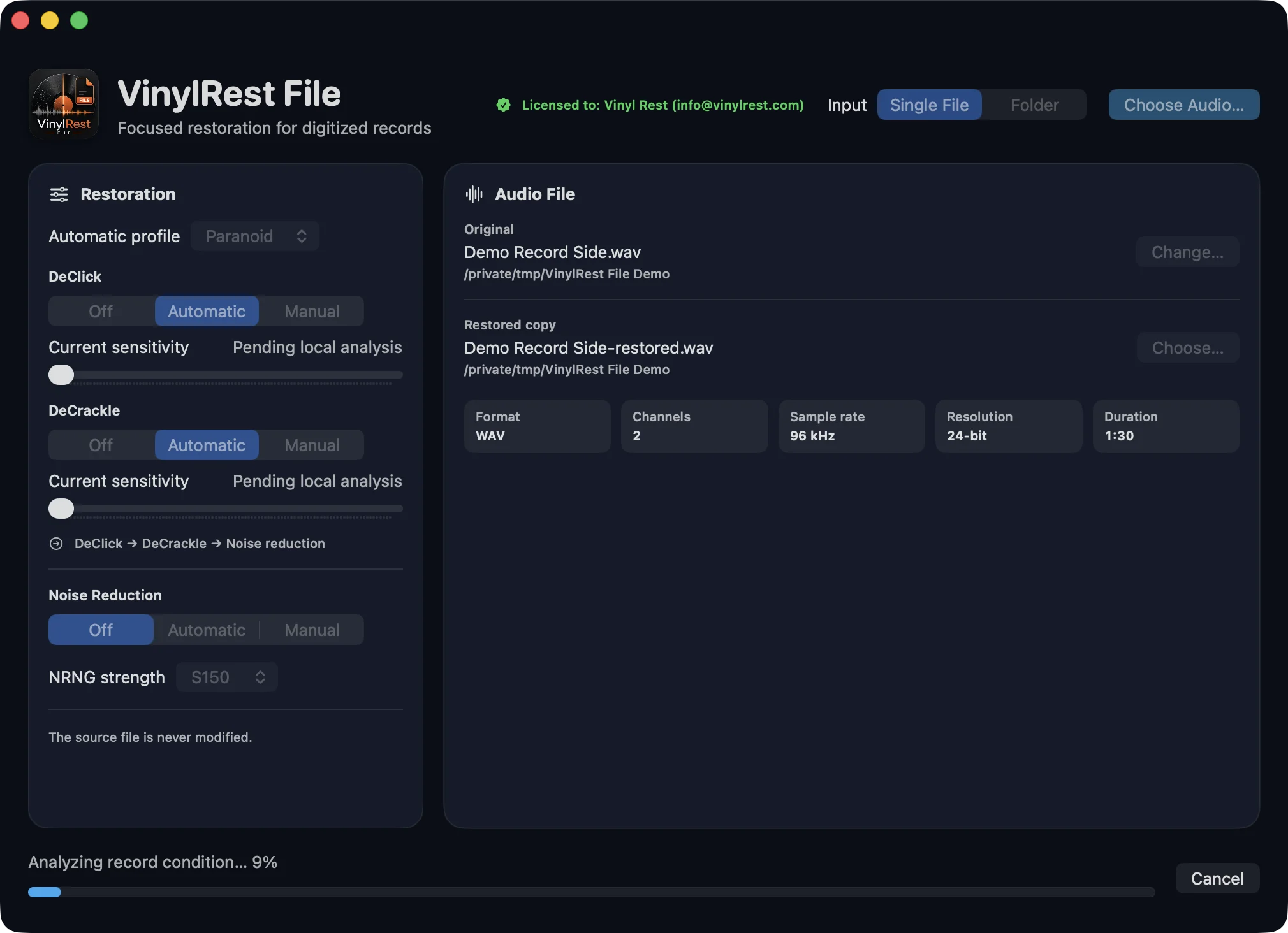
Progress and live Automatic values
The footer identifies the active phase: preparation, analysis, DeClick, DeCrackle, surface-noise reduction, writing, validation or completion. During Automatic processing, the stage sliders are read-only and follow the most recent local decision.
Restoration Summary
A completed Single File job adds a green result panel. Depending on the enabled modes, it can contain:
- DeClick and DeCrackle repair-region counts;
- total repaired frames, output frames and channels;
- NRNG S150/S200 strength, fixed maximum and P65 acquisition result;
- global media grade and selected Automatic profile;
- last local grade and NR limit;
- Automatic median and minimum-to-maximum sensitivity for each enabled stage.